Capy Castaway Co-op Setup Checklist
Green lights before the goose gets impatient.
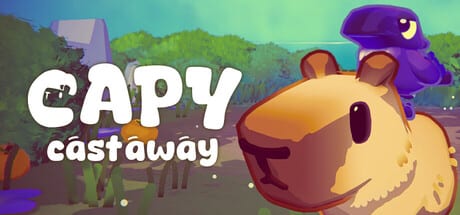
Print or bookmark this checklist before a Capy Castaway co-op night. Kitten Cup Studio built the August 6, 2026 Steam release for solo play, local shared-screen co-op, and Steam Remote Play Together—three modes that share one save story but differ wildly in hardware friction. Full strategy, role advice, and latency habits live in Co-op & Remote Play; this page is the pre-flight you run while controllers charge.
Capy handles ground verbs—sniff, dig, swim, push, hats. Corvi handles air verbs—fly, fetch, carry, talk. Setup success means both humans can execute their verbs without fighting Steam Input, Wi-Fi, or snack placement.
Local co-op readiness
| Done | Step |
|---|---|
| ☐ | Game installed and updated on host PC or docked Deck |
| ☐ | Two controllers charged and paired (or hybrid keyboard plan agreed) |
| ☐ | Both players tested movement in a safe area |
| ☐ | Camera invert preferences set per player |
| ☐ | Volume comfortable for Corvi dialogue |
| ☐ | Snacks placed away from controller drop zones |
| ☐ | Roles decided: who is Capy, who is Corvi |
| ☐ | Backup solo plan if a pad disconnects mid-carry |
| ☐ | Save slot chosen and cloud sync understood |
Connect both pads before boot when possible. Confirm Player 1 / Player 2 assignment on the title screen, then stand in a tutorial space until both characters move simultaneously. If one controller sleeps mid-quest, re-pair before a Corvi carry puzzle—dropped carries waste more time than they look funny.
Hardware references: Controller for layout philosophy, Keyboard & Mouse if one player prefers desk controls, Steam Deck Tips for docked TV nights.
Remote Play Together readiness
| Done | Step |
|---|---|
| ☐ | Host on wired Ethernet or strong 5 GHz Wi-Fi |
| ☐ | Host closed large downloads and OS updates |
| ☐ | Guest Steam friend online and expecting invite |
| ☐ | Invite sent via Remote Play Together |
| ☐ | Guest input confirmed—move, interact, fetch |
| ☐ | Latency tolerance agreed (“slow is fine”) |
| ☐ | Stream quality lowered if video stutters |
| ☐ | Host power plugged in (laptops and Deck) |
| ☐ | Spoiler boundaries stated before story beats |
Remote Play shifts Corvi fetch from reflex to communication. Guests should confirm they see the same interact prompts before hosts assume a puzzle is solved. If latency spikes, prioritize verbal callouts over simultaneous inputs—see combo patterns in Duo Combos.
Guests often join without owning the game when Remote Play Together rules allow streaming from the host library—verify current Steam policy before promising a friend access.
Session agreements (write answers before you start)
| Topic | Decision |
|---|---|
| Spoilers okay? | |
| Chaos hats okay mid-quest? | |
| Target length (minutes) | |
| Main goal tonight | Soup / bouquet / explore / hats |
| Who pauses menu? | |
| Switch roles hourly? | |
| Track collectibles tonight? |
Capy’s hat obsession can derail sincere story moments. Decide upfront whether comedy overrides quest timers—there is no wrong answer, only unspoken frustration when one player wears a bucket during a delivery deadline.
Pre-session content picks
Align on one primary route so setup energy goes into play, not debate:
- Demo tourism: Swallow Town for low-spoiler combo practice.
- Kindness route: Help Castaways with Endings Tracker open.
- Competitive night: Soup Competition with clear pause rules.
- Collectible sweep: Collectibles Checklist plus Hats.
Troubleshooting quick hits
- Second pad ignored: restart Steam Input, reboot game, confirm both players appear on title screen.
- Guest sees wrong character: re-invite after host confirms co-op mode from menu.
- Audio drowning dialogue: headphones for host, TV volume down for guests—Corvi lines carry story hints.
- Cloud save conflicts: one active machine per night across PC and Deck; force sync before swapping hardware.
After-action (five minutes saves the next session)
| Done | Step |
|---|---|
| ☐ | Update Collectibles Checklist |
| ☐ | Update Endings Tracker with co-op decisions |
| ☐ | Note any Remote Play latency issues and fixes tried |
| ☐ | Schedule next session and who hosts |
| ☐ | Wishlist or remind skeptics via Wishlist Guide |
If every box is ticked, you are ready to be the duo Big Blue Sky marketed—a quiet capybara and a loud crow sharing one screen, one story, and hopefully one bowl of soup.
Frequently Asked Questions
Quick answers to the most common questions.
Does the guest need to own Capy Castaway?
Steam Remote Play Together often allows joins via the host stream without a guest purchase—confirm the current Steam rules before session night.
What is the best host machine?
The device with the strongest stable upload and wired networking. Desktop PC usually beats handheld for Remote Play hosting.
Can Steam Deck host co-op?
Yes on good Wi-Fi, especially docked with two controllers. Read [Steam Deck Tips](/controls/steam-deck/) for TDP and heat notes.
Can we swap Capy and Corvi mid-session?
Yes if your menu supports role swap or you restart from a safe checkpoint. Agree swap timing in session agreements to avoid story confusion.
Does co-op share story choices?
Shared-screen co-op typically writes one story state per save. Log disagreements in the Endings Tracker for intentional replays.
Where is the full gameplay co-op guide?
See [Co-op & Remote Play](/guides/co-op-remote-play/) for roles, callouts, and Remote Play etiquette beyond this checklist.